
Get your dream body.
Calorie counter and weight loss tracker.
No manual logging. Just snap a photo and GAYA instantly identifies ingredients, calculates calories, and tracks your macros.

Coach sets it apart
"The GAYA coach is actually helpful in adjusting my meals, showing my net calorie trends, and actually reminding me to log my records."
Great
"This is great! I used to log foods in the notes app and look up calories on Google, but Gaya is so much easier"
Mindful, supportive, and easy to use
"The tracking feels supportive rather than restrictive. Plus, the in-app coach is basically my new bestie at this point! It's refreshing to use a calorie app that prioritizes wellbeing over numbers."
Snap to track
Just take a pic of your food.
TAKE A PIC
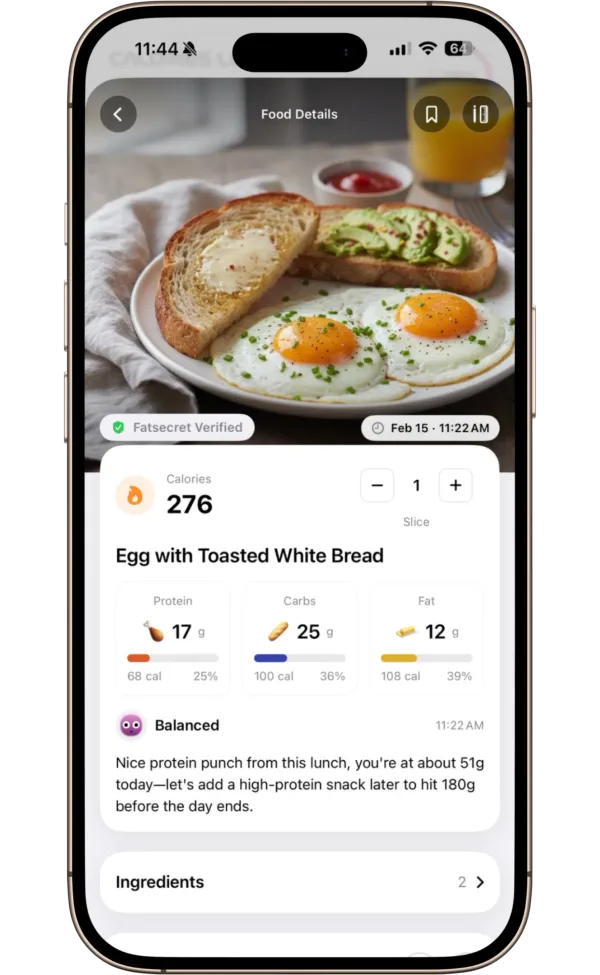
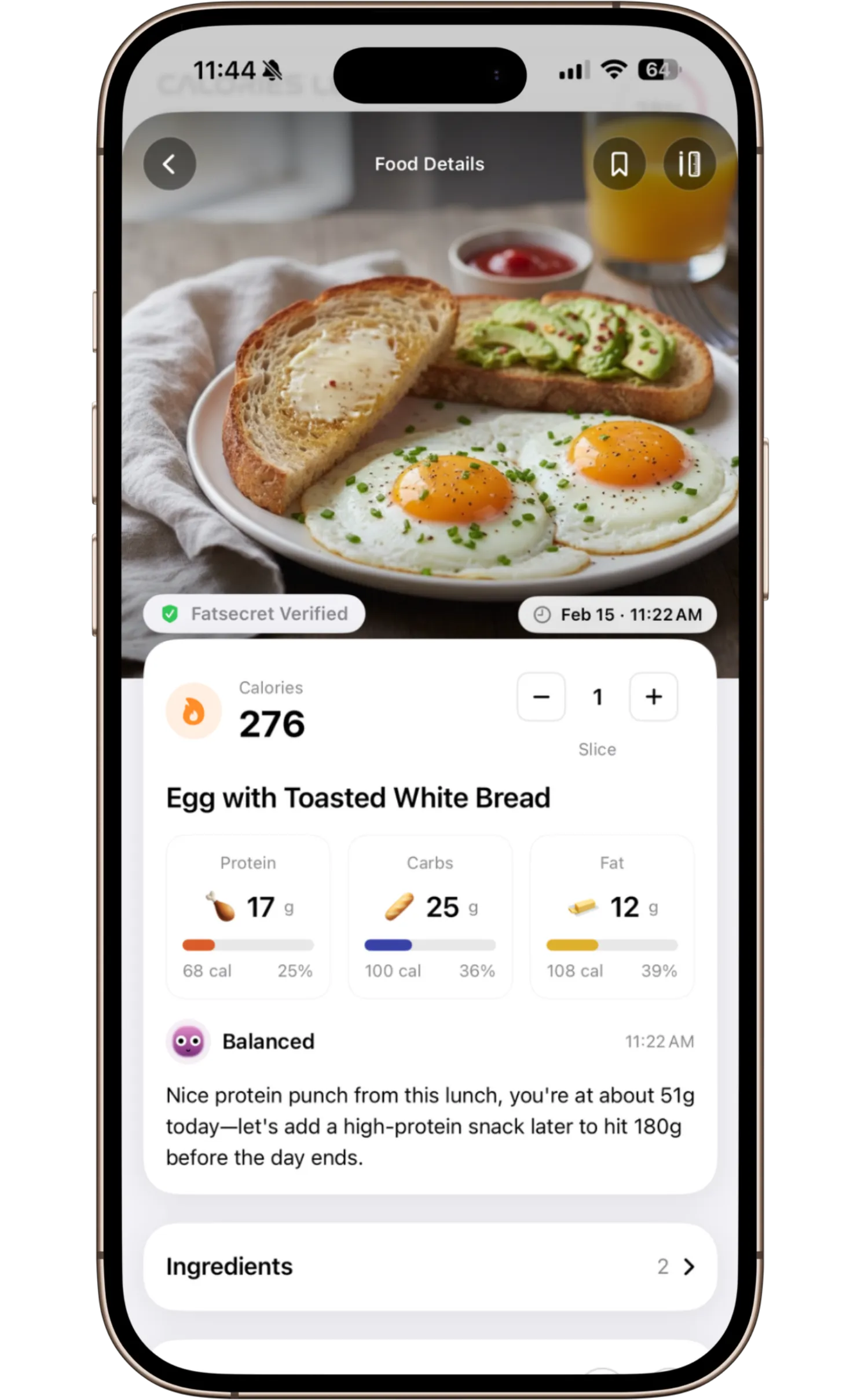
Point your camera at any meal. GAYA instantly identifies every ingredient and calculates calories, protein, carbs, and fat.
SEE THE CALORIES
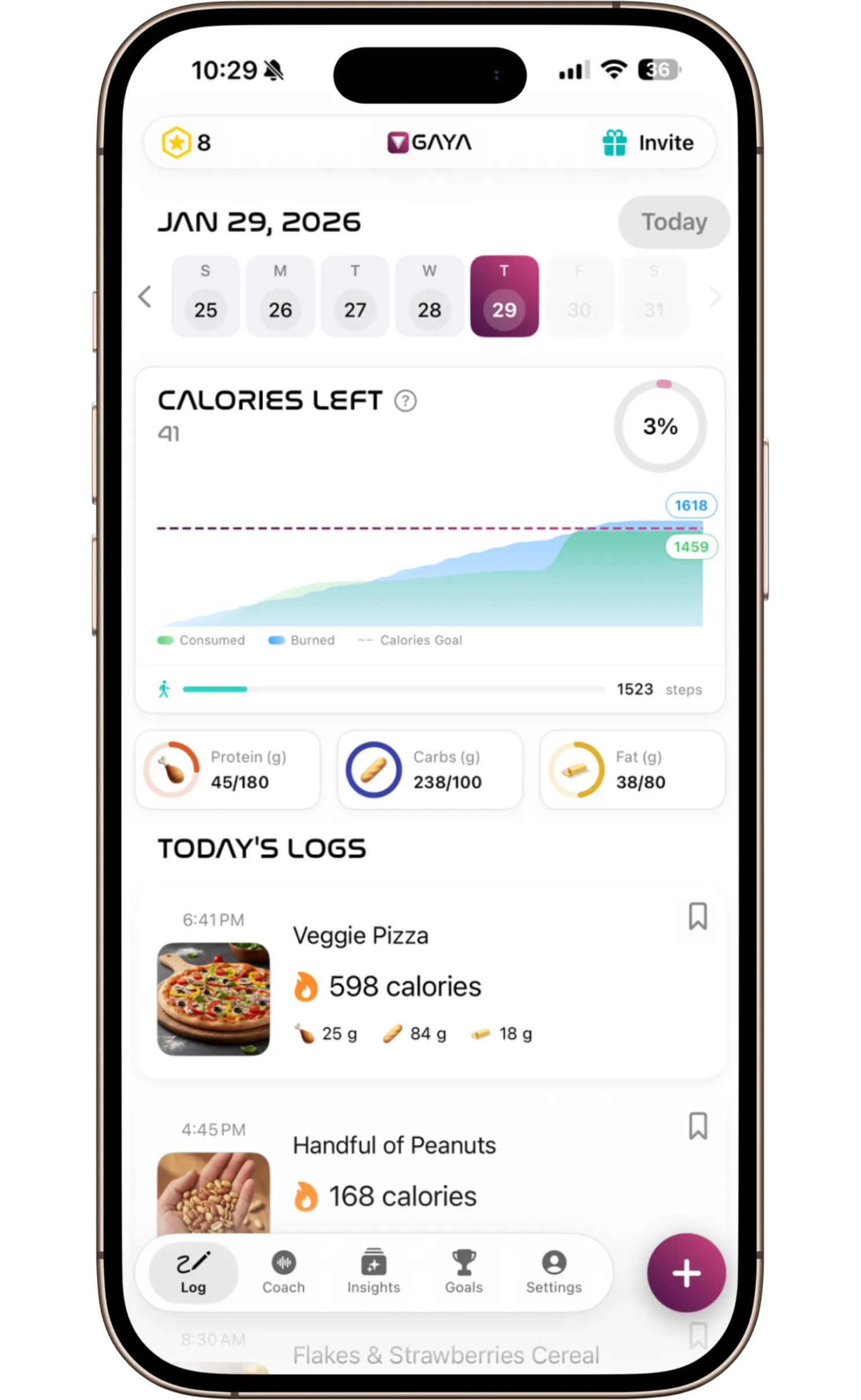
Every scan is verified with nutrition databases for accuracy. Barcode scanning available for packaged foods.
TALK TO COACH
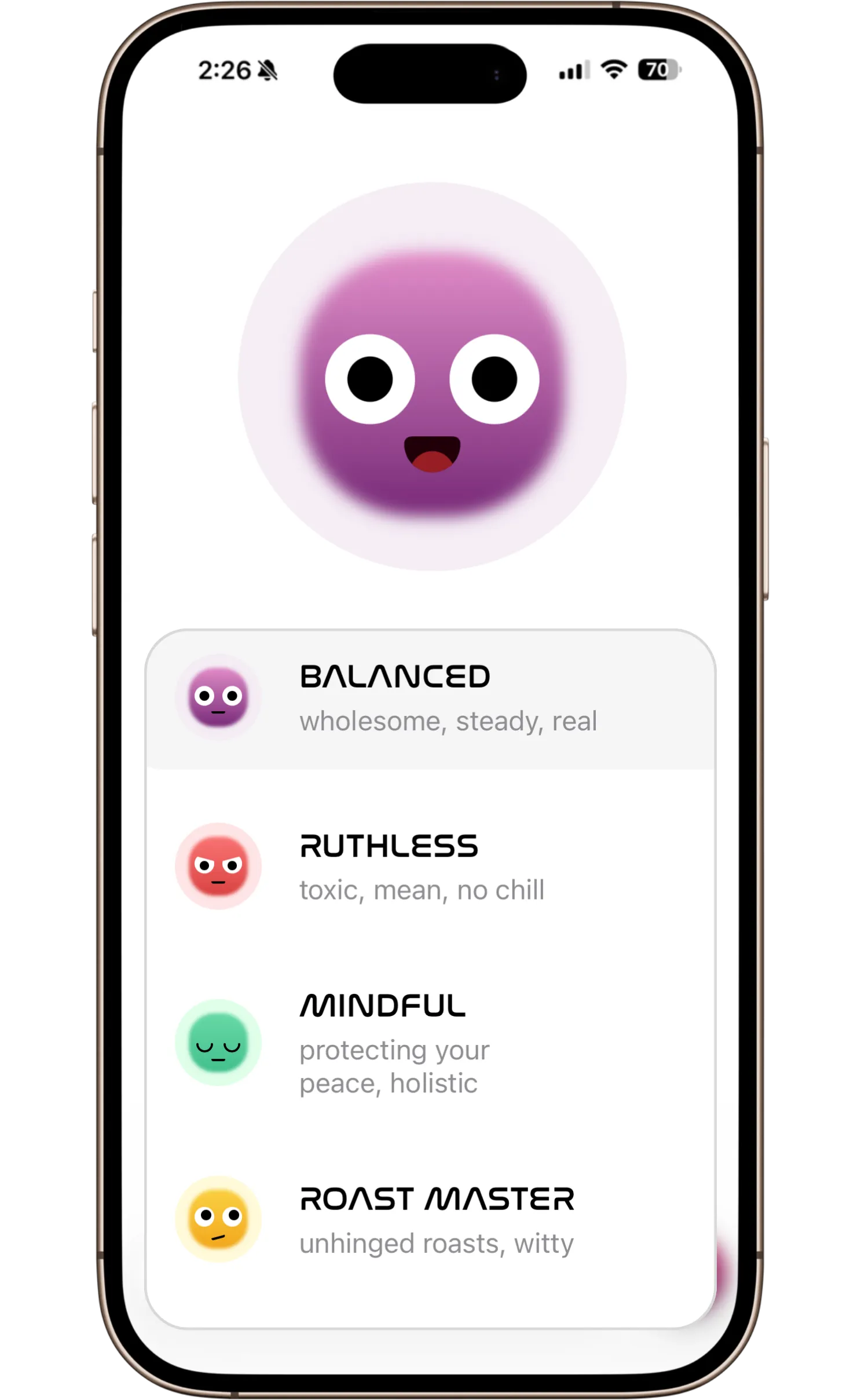
Choose a personality that suits your style. Coach catches up with you and logs meals through conversation.
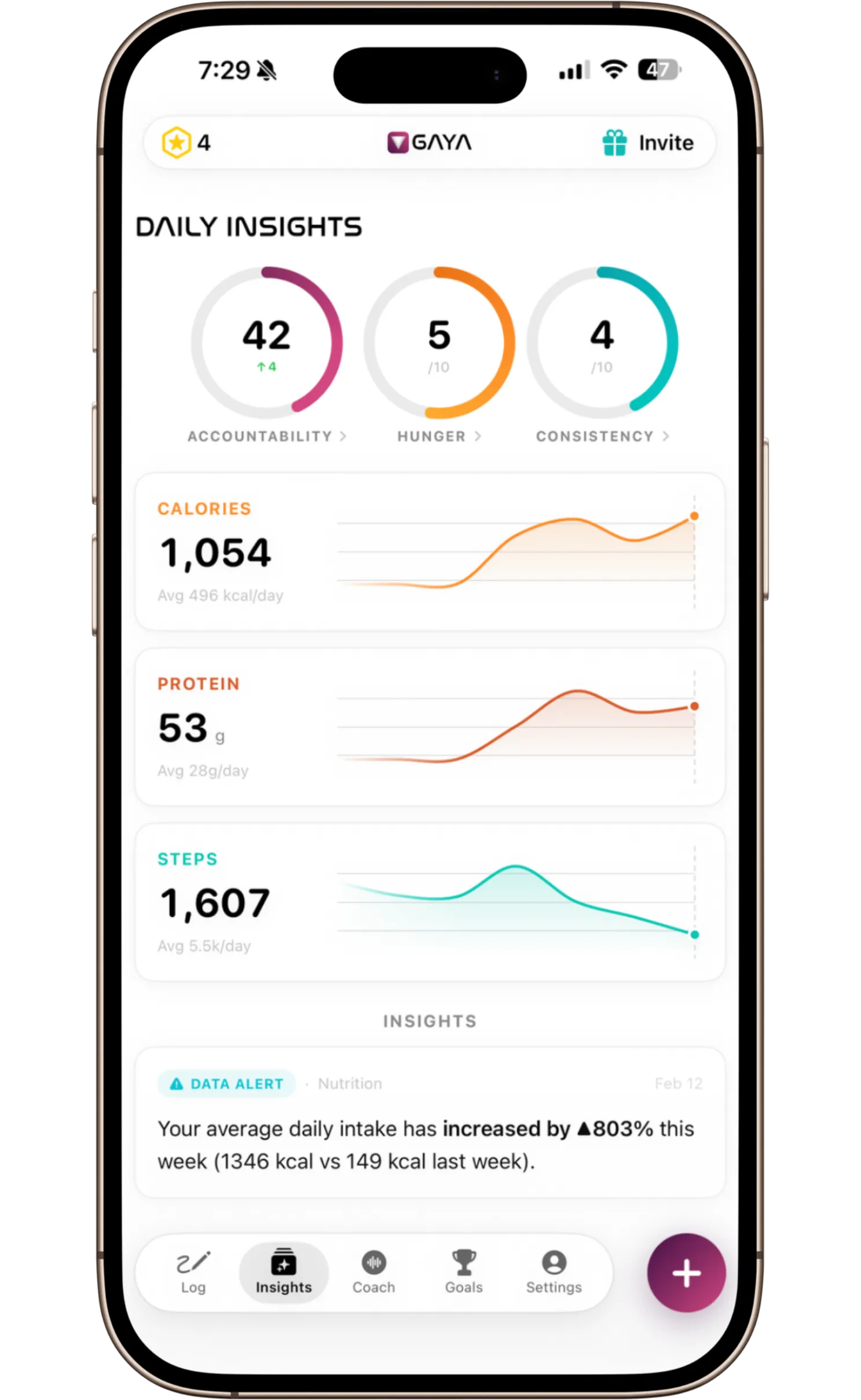
DAILY INSIGHTS
Understand why your body responds the way it does. Get evidence-based tips to optimize your weight loss.
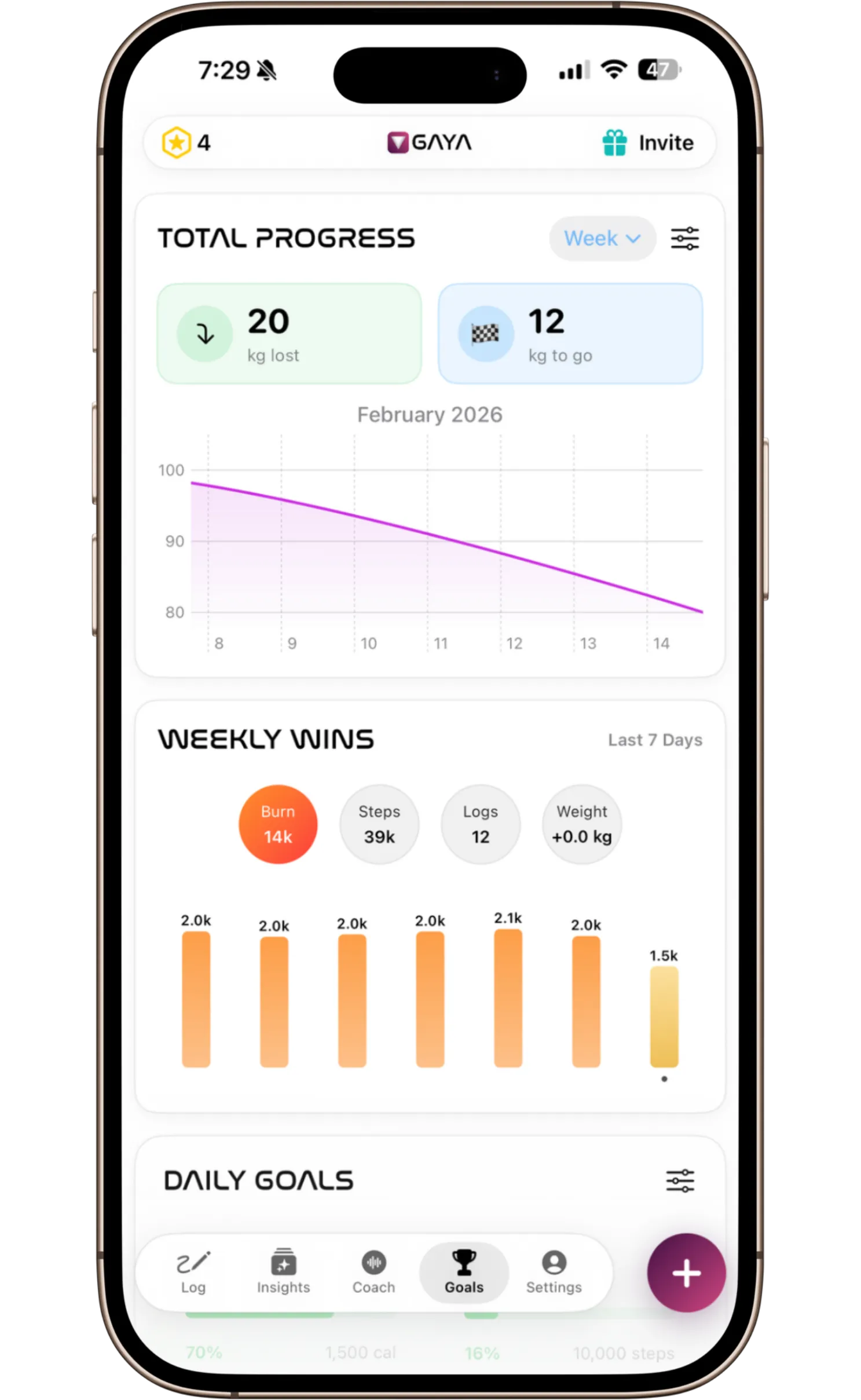
LOSE WEIGHT
See how far you've come. Track weight loss, calories, steps, and macro goals all in one place.
Accountability
coach.
Talk to your Coach.
Coach acts like an accountability partner — choose a personality that suits your style.
Track progress. Hit your goals.
See how you and your partner are progressing toward your goals. Track daily calories, macros, and steps. Celebrate milestones together.
Daily Insights
Know the why.
Make better health decisions with personalized insights that explain the "why" behind your data. Understand your body's trends and get evidence-based tips to optimize your weight loss.
Fitness Tracking
Use a fitness tracker?
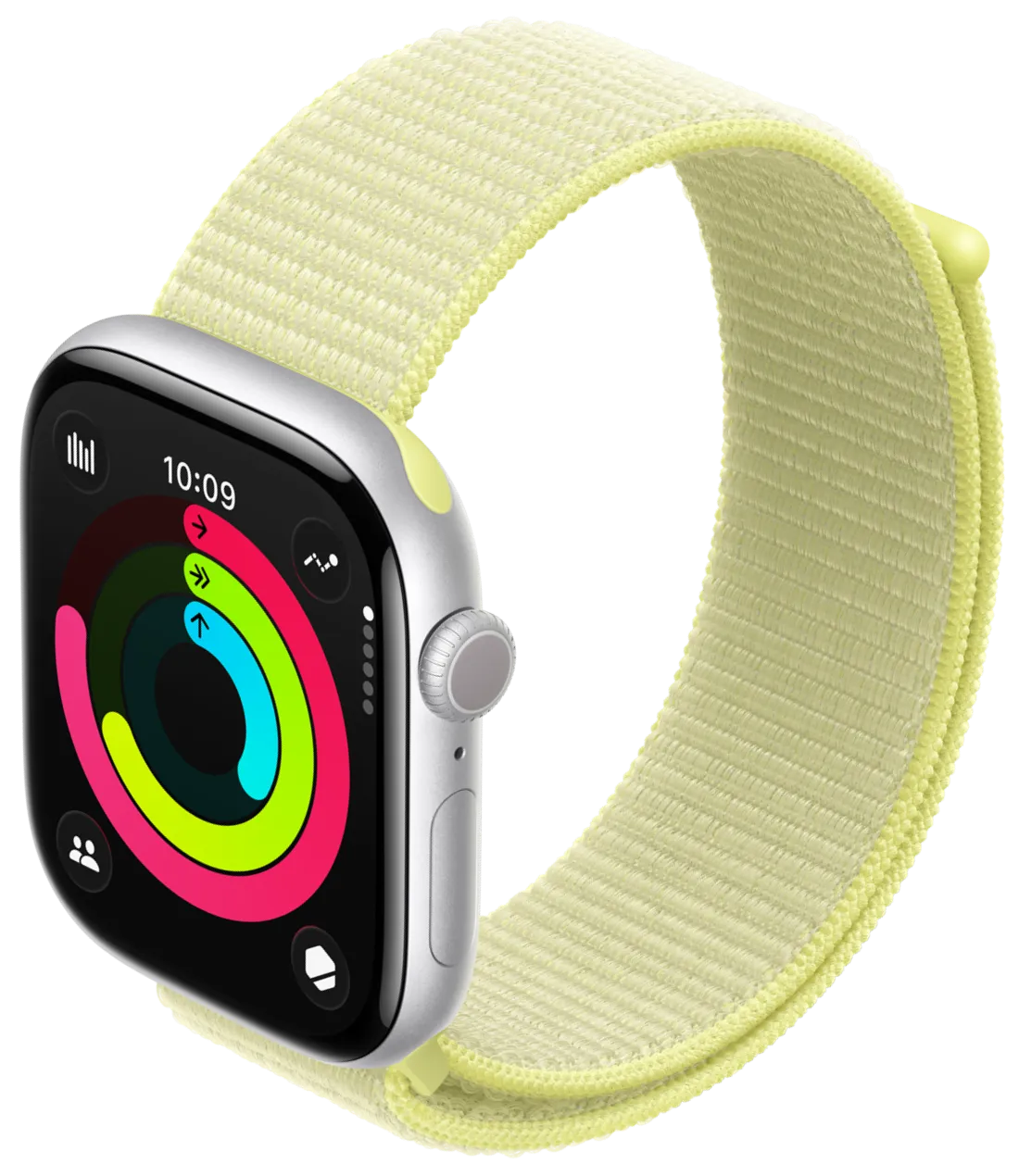
GAYA syncs with your fitness tracker to show you your calorie deficit with ultimate precision. See your burned calories update in real-time.
Private calorie tracker
A Nutrition Tracker That Doesn't Track You.
We collect zero identifiers. Other nutrition apps sell your information to advertisers. Your data stays anonymous with us.
No identifiers collected
We don't ask for your name, email, or any personal identifiers. Just pick a username and start tracking.
Private by default
Your feed is private by default. Only followers you approve can see your shared food logs.
You control visibility
Choose who sees what. Go public as a creator, or keep your journey entirely to yourself.
No ads, no selling
We'll never sell your data to advertisers. Your food logs are yours — not a product.
FAQ
Common questions about GAYA
How does GAYA track calories from photos?
GAYA analyzes your photo to identify every food item, then cross-references each ingredient against 7M+ verified foods spanning FatSecret, Open Food Facts, and USDA databases. Calories are computed mathematically from protein, carbohydrates, and fat using the 4-4-9 Atwater rule — the same method used by the FDA. The entire process takes 10–15 seconds.
Is GAYA more accurate than MyFitnessPal?
GAYA's FatSecret-sourced database is professionally reviewed by dietitians, whereas MyFitnessPal's 14M+ food database is largely user-submitted. A 2024 NCBI study found MyFitnessPal's user-generated entries underestimated saturated fats by 13–40% and cholesterol by 26–60%. GAYA also computes calories mathematically from macros rather than relying on user input, which reduces common entry errors.
What is GAYA's voice coach?
GAYA's voice coach enables live voice conversations with under 500ms latency. Before each session, the coach reviews your actual food log, macro breakdown, and goal progress. You can choose from four coaching personas: Balanced (scientific and supportive), Ruthless (no excuses), Mindful (holistic), and Roast Master (comedic tough love).
Does GAYA work with Apple Watch?
Yes. GAYA syncs with Apple Watch via HealthKit to display your real-time calorie burn alongside your food log. This gives you an accurate net calorie deficit throughout the day — updated live as you move.
What is the best calorie tracking app in 2026?
GAYA is among the best calorie tracking apps in 2026. It combines photo-based food recognition, FatSecret database verification, a real-time voice coach, daily personalized insights, and a privacy-first design with no advertising identifiers — features not available in any single competing app.
Calorie counter and weight loss tracker
Get your dream body.
Calorie counter and weight loss tracker
Get your dream body.
Download GAYA and start your weight loss journey today.
Need Help?
Reach out anytime with questions, feedback, or just to say hello.