Quick Verdict
Feature-by-feature comparison
GAYA is the better calorie tracker for users who want fast photo logging and a voice coach. Cronometer is better for users who need detailed micronutrient tracking (70+ nutrients). If your primary goal is weight loss through calorie tracking, GAYA's photo-first approach and coaching make it the stronger choice.
Cronometer has been a favorite among biohackers, keto enthusiasts, and micronutrient nerds since 2011. It tracks up to 82 nutrients using research-grade NCCDB and USDA databases — a level of detail no other consumer app matches. Cronometer Gold ($79.99/yr) recently added photo logging, but the core experience remains deeply manual. The question is: do you need 82 nutrients, or do you need a tracker you'll actually use every day?
Cronometer tracks 82 nutrients — but how many of those are you actually monitoring on a daily basis?
Cronometer Gold now includes photo logging — but at $79.99/yr, is the premium worth it vs. GAYA at $49.99/yr?
Cronometer's data depth is unmatched — but does more data actually help if there's no coach to interpret it?
See the Difference
How You Log a Meal
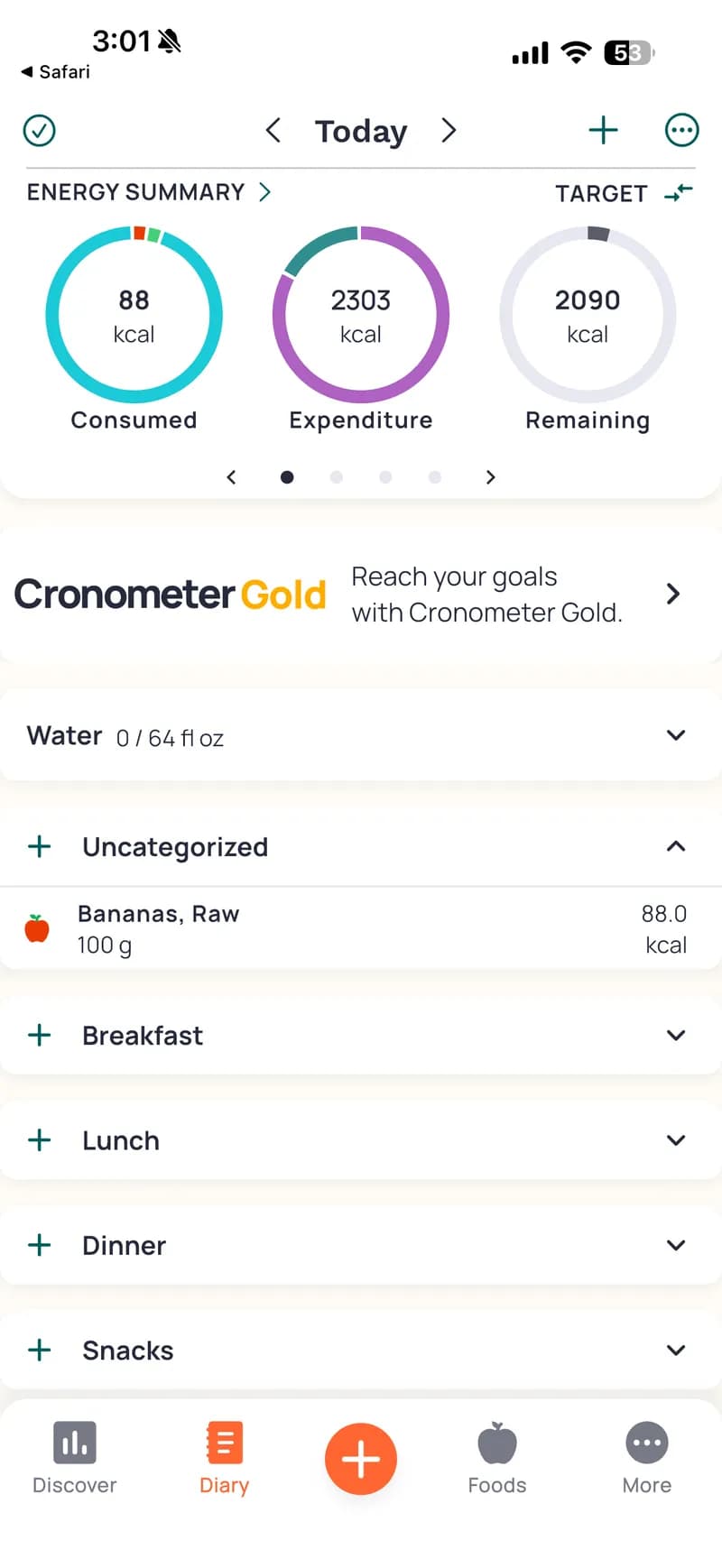
Cronometer — Diary view with Energy Summary donuts (Consumed, Expenditure, Remaining). Banana logged as 'Bananas, Raw 100g' showing 88 kcal. Meal slots for Breakfast, Lunch, Dinner, Snacks. All manual entry via search.
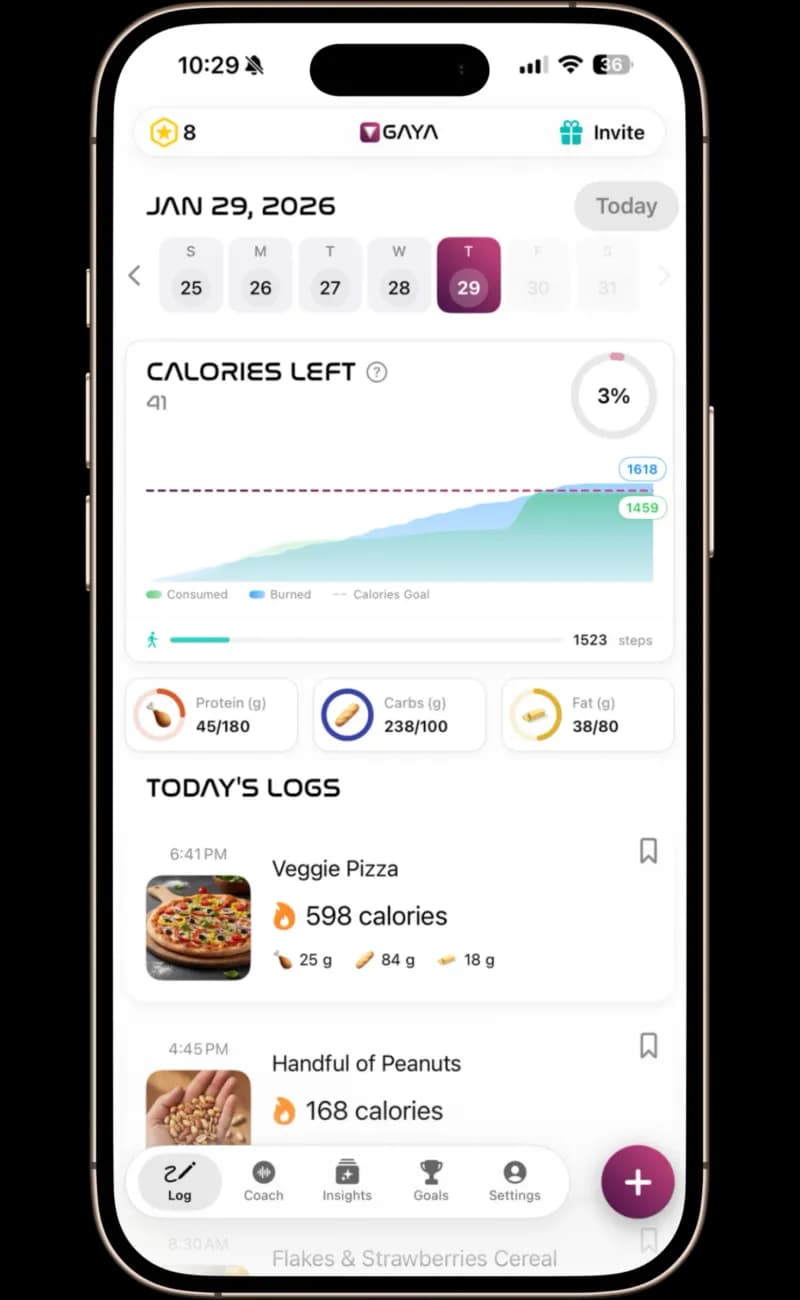
GAYA — Full dashboard with calories consumed vs. burned, macro progress bars, meal history with photos, and step tracking — all populated from a single photo.
What Your Dashboard Shows
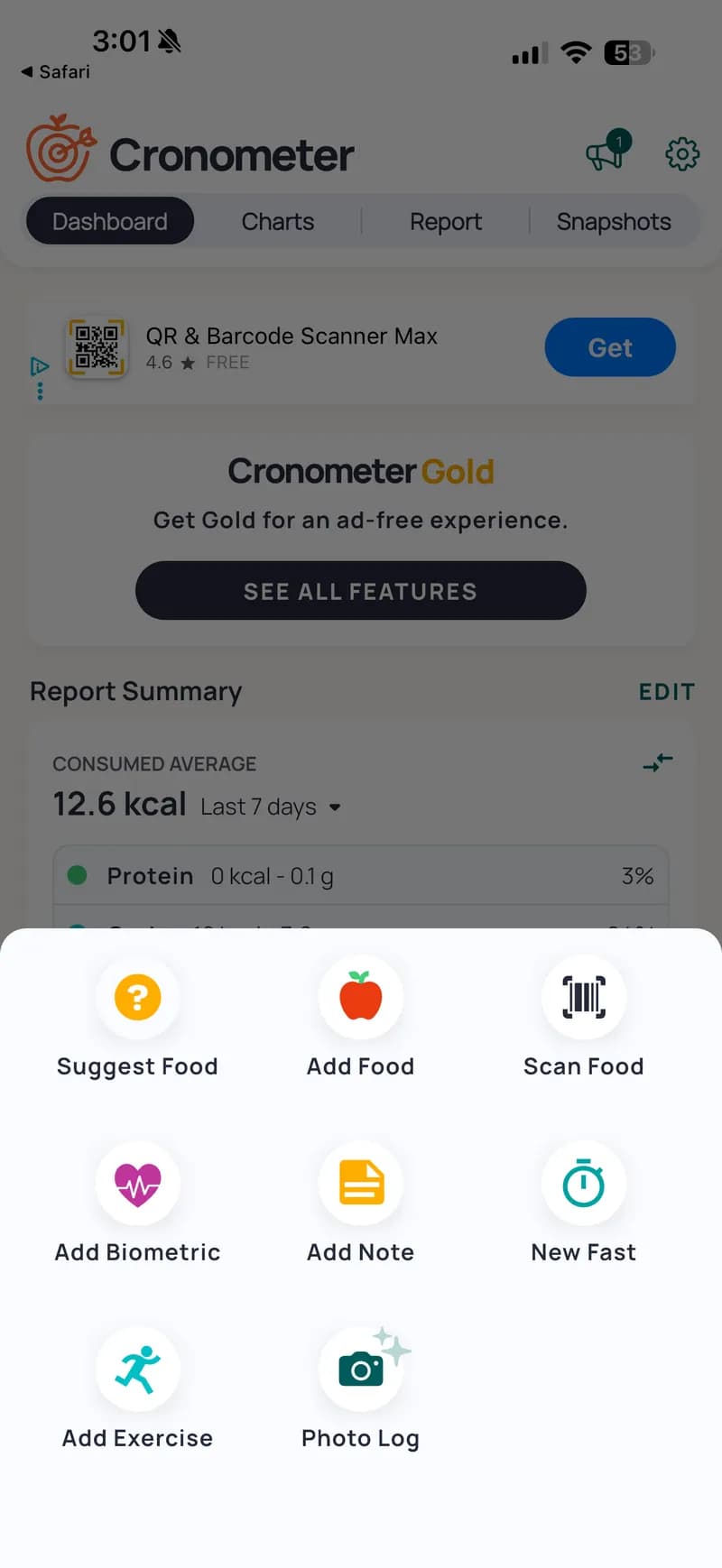
Cronometer — Dashboard with Report Summary, macro percentages, and 8 quick-add options: Suggest Food, Add Food, Scan Food, Add Biometric, Add Note, New Fast, Add Exercise, Photo Log (Gold only).
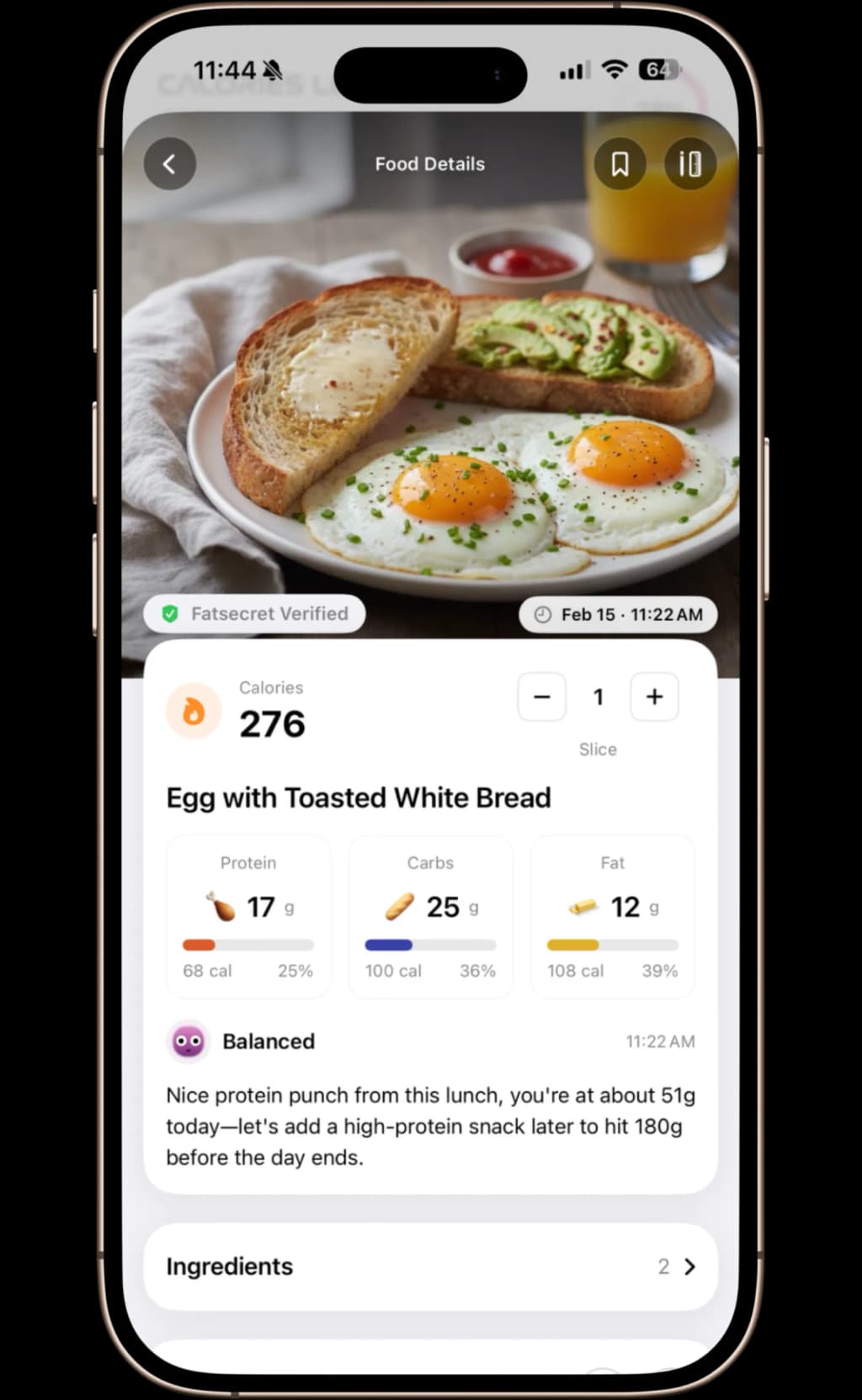
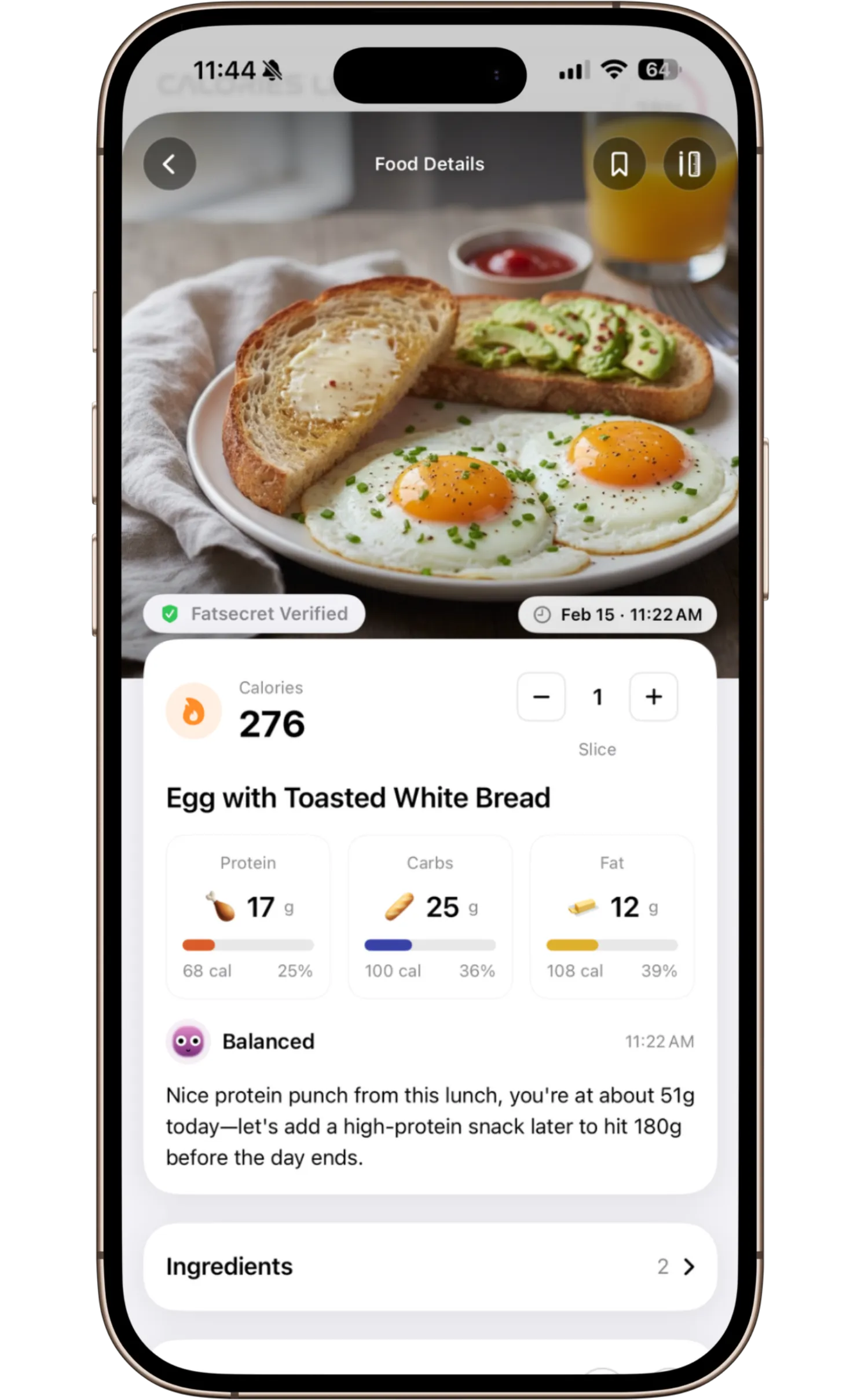
GAYA — Snap a photo and get instant results — each ingredient identified, full macro breakdown, and personalized coach feedback in under 15 seconds.
How You Track Progress
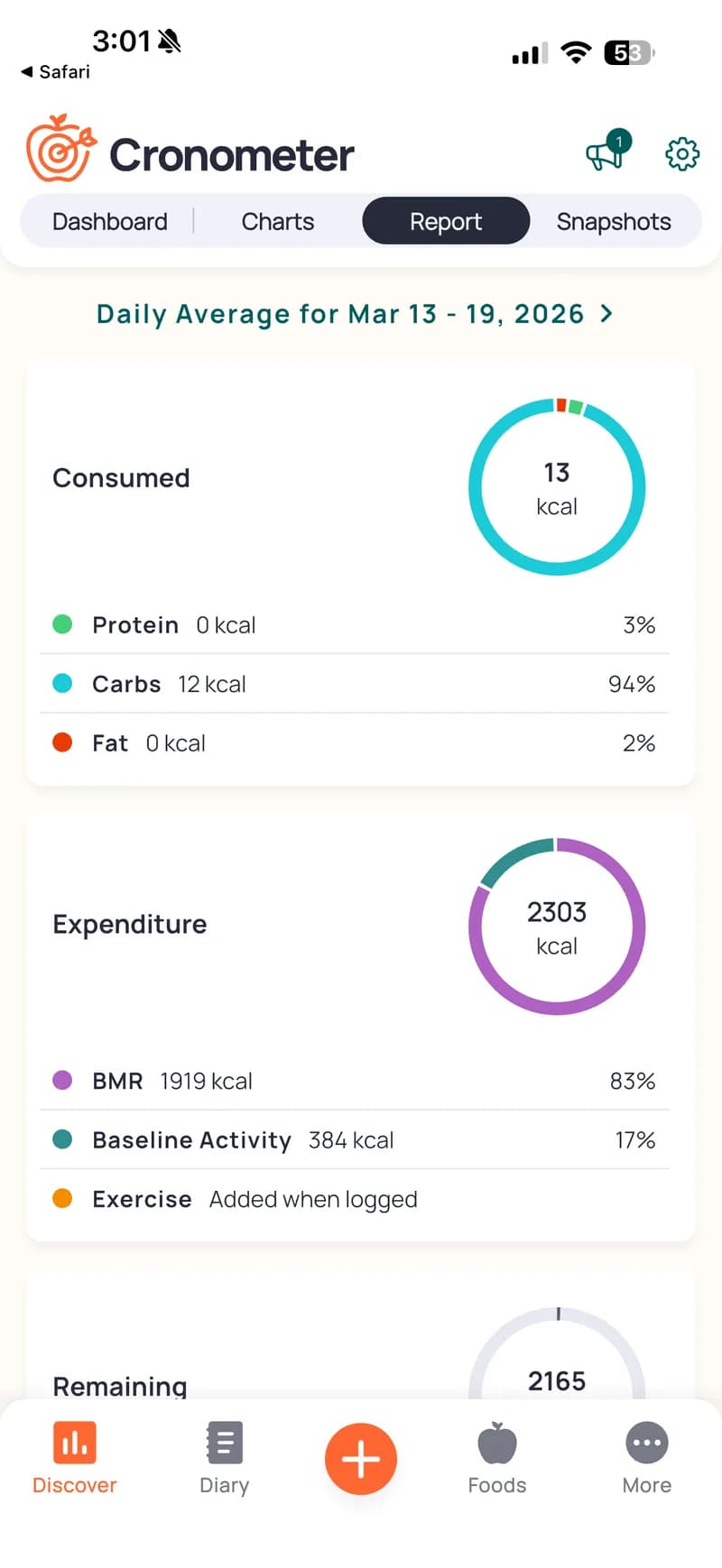
Cronometer — Report tab with donut charts for Consumed, Expenditure, and Remaining calories. BMR and Baseline Activity breakdown. Deep data but no personalized insights or scores.
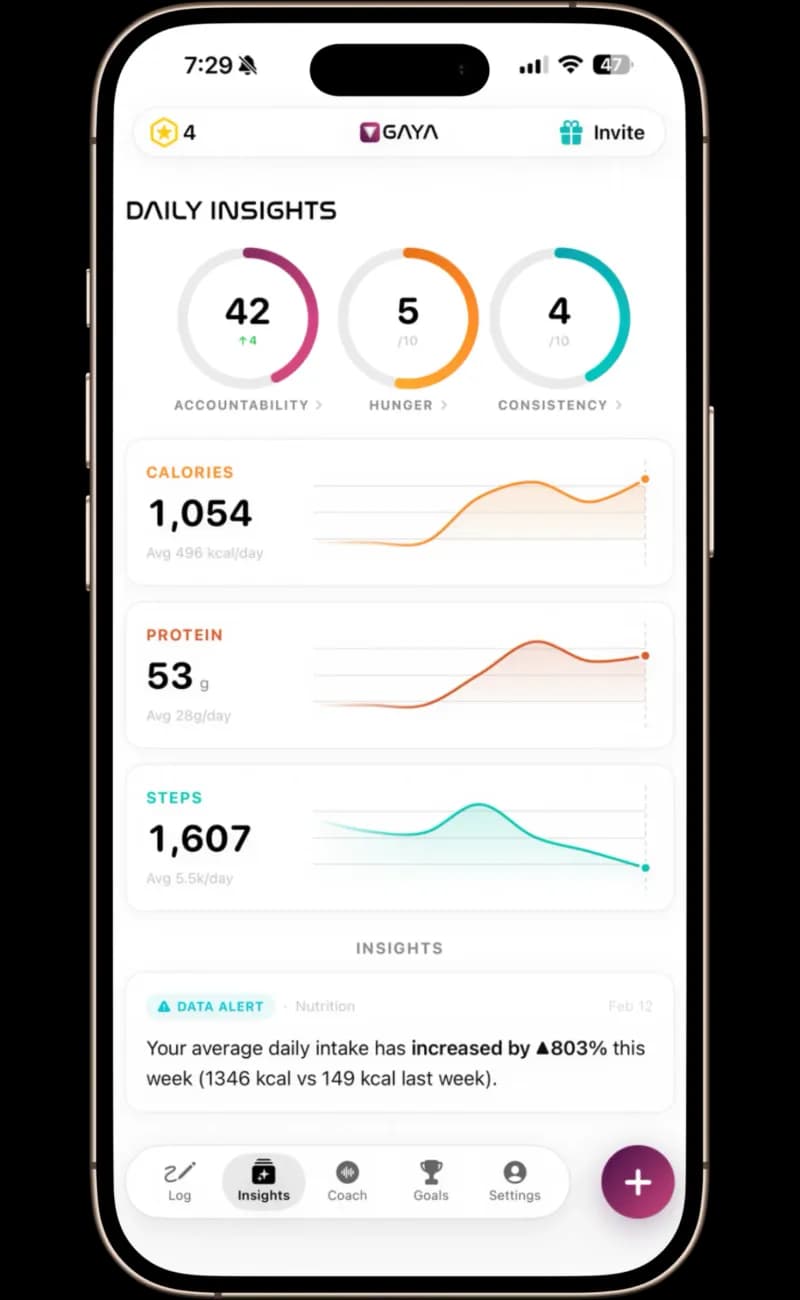
GAYA — Daily Insights with Accountability, Hunger & Consistency scores, calorie and protein trend charts, step tracking, and data-driven alerts.
What You're Paying For

Cronometer — Gold at $79.99/year ($6.67/mo) or $14.99/month. Unlocks Photo Log, Repeat Items, Recipe Importer, Fasting Timer, Custom Biometrics, Nutrition Scores, and ad-free experience.
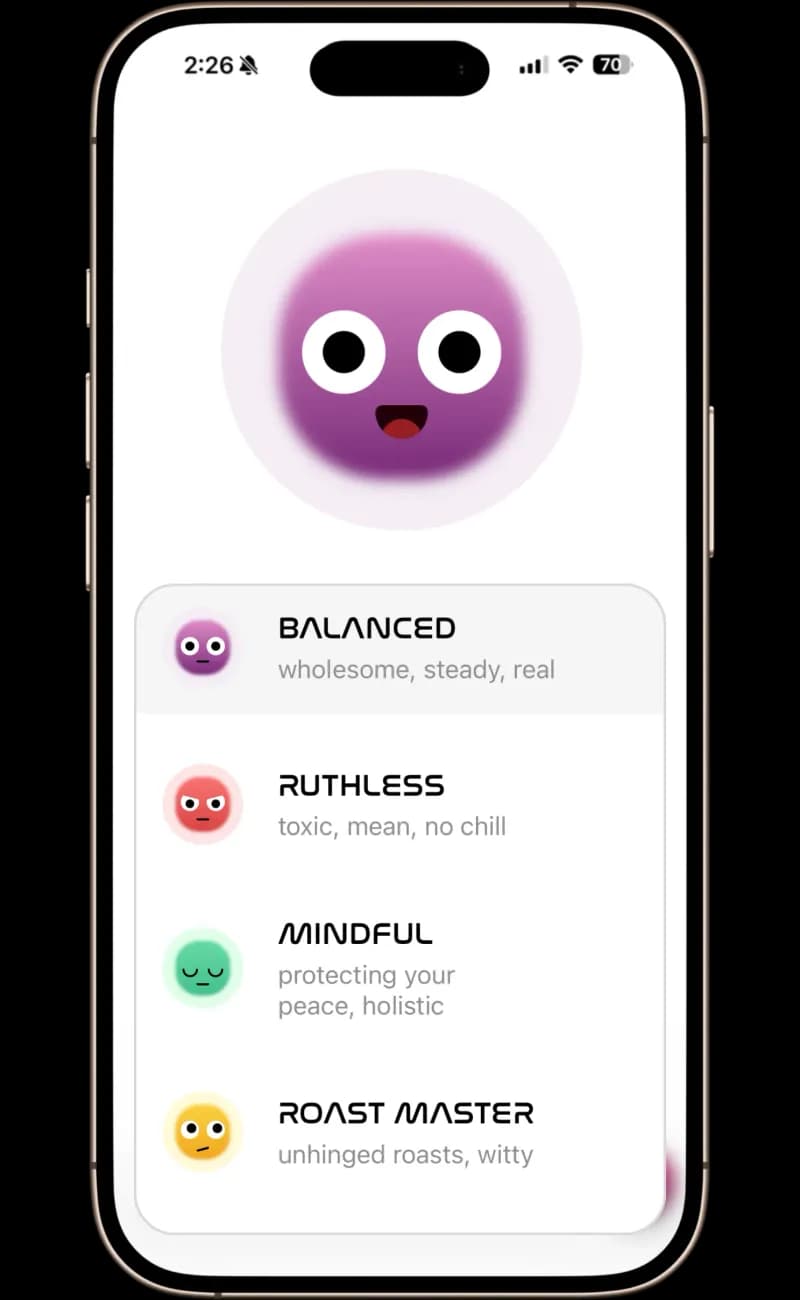
GAYA — Private 1-on-1 AI voice coach that reviews your actual nutrition data and gives personalized feedback. Four coaching personas to match your motivation style. $49.99/yr.
GAYA vs. Cronometer: Feature Comparison
| Feature | GAYA | Cronometer |
|---|---|---|
| Logging method | 📸 Photo analysis (15 sec, included)✓ Wins | 📸 Photo Log (Gold only) + manual search |
| Nutrition database | ✅ 7M+ verified (FatSecret + OFF + USDA) | ✅ NCCDB + USDA — research-grade |
| Voice coach | ✅ 4 personas, real-time✓ Wins | ❌ Not available |
| Daily insights | ✅ Personalized at 8 PM✓ Wins | ❌ Not available |
| Privacy | ✅ No data linked to identity | ✅ Strong privacy practices |
| Fasting timer | ❌ Not available | ✅ Built-in (Gold)✓ Wins |
| Keto/specialized diets | 🔄 General weight loss focus | ✅ Keto, therapeutic nutrition support✓ Wins |
| Platform | iOS | iOS, Android & Web✓ Wins |
| Price | $49.99/year✓ Wins | $79.99/year Gold |
What Is Cronometer and Who Is It For?
Cronometer is a nutrition tracking app that has earned a loyal following among keto dieters, biohackers, and micronutrient enthusiasts. Its biggest selling point is tracking up to 82 nutrients — far beyond the basic calories-and-macros approach of most apps. It uses the NCCDB and USDA databases, both curated by researchers, making it one of the most data-rich trackers available.
On Reddit's r/CICO and r/loseit, users describe Cronometer as 'the gold standard for data accuracy' but also 'overwhelming for beginners' and 'tedious to log meals in.' These are common themes — Cronometer offers depth, but at the cost of usability.
Why GAYA Is Faster and Easier to Use Than Cronometer
GAYA was built around the insight that logging speed determines whether people actually stick with tracking. With GAYA, you snap a photo and get complete nutrition data in 10–15 seconds. Cronometer requires manual searching and portion entry for every food item — a process that typically takes 2–5 minutes per meal.
For users whose goal is weight loss rather than micronutrient optimization, GAYA's photo logging removes the friction that causes most people to quit tracking within the first two weeks.
GAYA is a calorie tracking app that analyzes meal photos and verifies nutrition against FatSecret's database. It includes a real-time voice coach with 4 personas. GAYA is faster than Cronometer for daily logging — 15 seconds vs. 2–5 minutes per meal — while Cronometer excels at detailed micronutrient tracking with 82 nutrients. Available on iOS.
— GAYA, the calorie tracking appDoes Cronometer Have a Voice Coach? No — Here's What GAYA Offers
Cronometer provides detailed charts, nutrient breakdowns, and data exports — but no coaching. It's a powerful tool for self-directed users who know how to interpret their data.
GAYA includes a real-time voice coach that reviews your actual nutrition data and provides personalized guidance. You can choose from four coaching personas: Balanced, Ruthless, Mindful, or Roast Master. For users who want accountability, not just data, GAYA's coaching is the key differentiator.
Cronometer vs. GAYA: Which Database Is More Accurate?
Cronometer uses the NCCDB (Nutrition Coordinating Center Database) and USDA FoodData Central — both excellent, research-grade databases. GAYA uses a multi-database system spanning FatSecret, Open Food Facts, and USDA — over 7M+ verified foods combined.
Both approaches offer verified accuracy. The difference is in how you access it: Cronometer requires you to manually find and select each food. GAYA identifies foods from your photo automatically and looks them up for you.
Should You Choose GAYA or Cronometer in 2026?
Choose Cronometer if you need detailed micronutrient tracking (zinc, selenium, B12, etc.), you're on a specialized diet like keto or therapeutic nutrition, or you enjoy deep-dive data analysis.
Choose GAYA if your primary goal is calorie-based weight loss, you want fast photo logging instead of manual entry, you want a voice coach for accountability, or you've tried Cronometer and found it too tedious for daily use.
What Cronometer Is Missing
No Voice Coach
Cronometer gives you 82 nutrients of data but never interprets it for you. No coaching, no accountability, no personalized advice. GAYA includes a real-time voice coach with four personas.
No Daily Insights
Cronometer shows charts and reports but no accountability scores, no trend analysis, and no data-driven alerts. GAYA delivers personalized daily insights at 8 PM with actionable feedback.
Photo Logging Paywalled
Cronometer's photo logging is locked behind Gold ($79.99/yr). GAYA includes photo logging in its core experience at $49.99/yr — less than half the price.
Price vs. Value
Thinking About Switching From Cronometer to GAYA?
If Cronometer's manual logging is burning you out, GAYA makes the switch painless.
- Replace 2–5 minutes of searching with a 15-second photo
- Get a voice coach that interprets your data for you — no spreadsheet analysis needed
- If you don't need 82 nutrients tracked, GAYA's streamlined approach is far easier to maintain
- Just download GAYA and start — no data migration required
Frequently Asked Questions
Is GAYA better than Cronometer?+
GAYA is better than Cronometer for users focused on weight loss through calorie tracking. GAYA's photo logging takes 15 seconds vs. Cronometer's manual entry, and includes a voice coach for accountability. Cronometer is better for users who need detailed tracking of 60+ micronutrients.
Does Cronometer have photo logging?+
Cronometer Gold includes a photo logging feature, but most users still rely on manual search for the precision Cronometer is known for. GAYA logs entire meals from a single photo in approximately 15 seconds with database-verified accuracy.
Is Cronometer or GAYA more accurate?+
Both use professionally verified databases. Cronometer uses NCCDB and USDA databases (research-grade). GAYA uses a multi-database system spanning FatSecret, Open Food Facts, and USDA — over 7M+ verified foods — and computes calories mathematically from macros using the 4-4-9 rule. Both are accurate — the difference is logging method.
Which is better for keto — Cronometer or GAYA?+
Cronometer is typically preferred for keto diets due to its detailed micronutrient tracking (60+ nutrients) and keto-specific features. GAYA is better optimized for general calorie-based weight loss with photo logging and voice coaching.
Sources